What the policy delivers
With mapping on, the agent sends the device's folder and file structure, and the Folders tab starts showing that tree in the dashboard. Without the policy, the tab states that mapping must be enabled first.
- An inventory of where company documents actually are.
- A trail of files that appear on or disappear from a machine.
- Remote action on a specific file, for audit or containment.
How to enable it
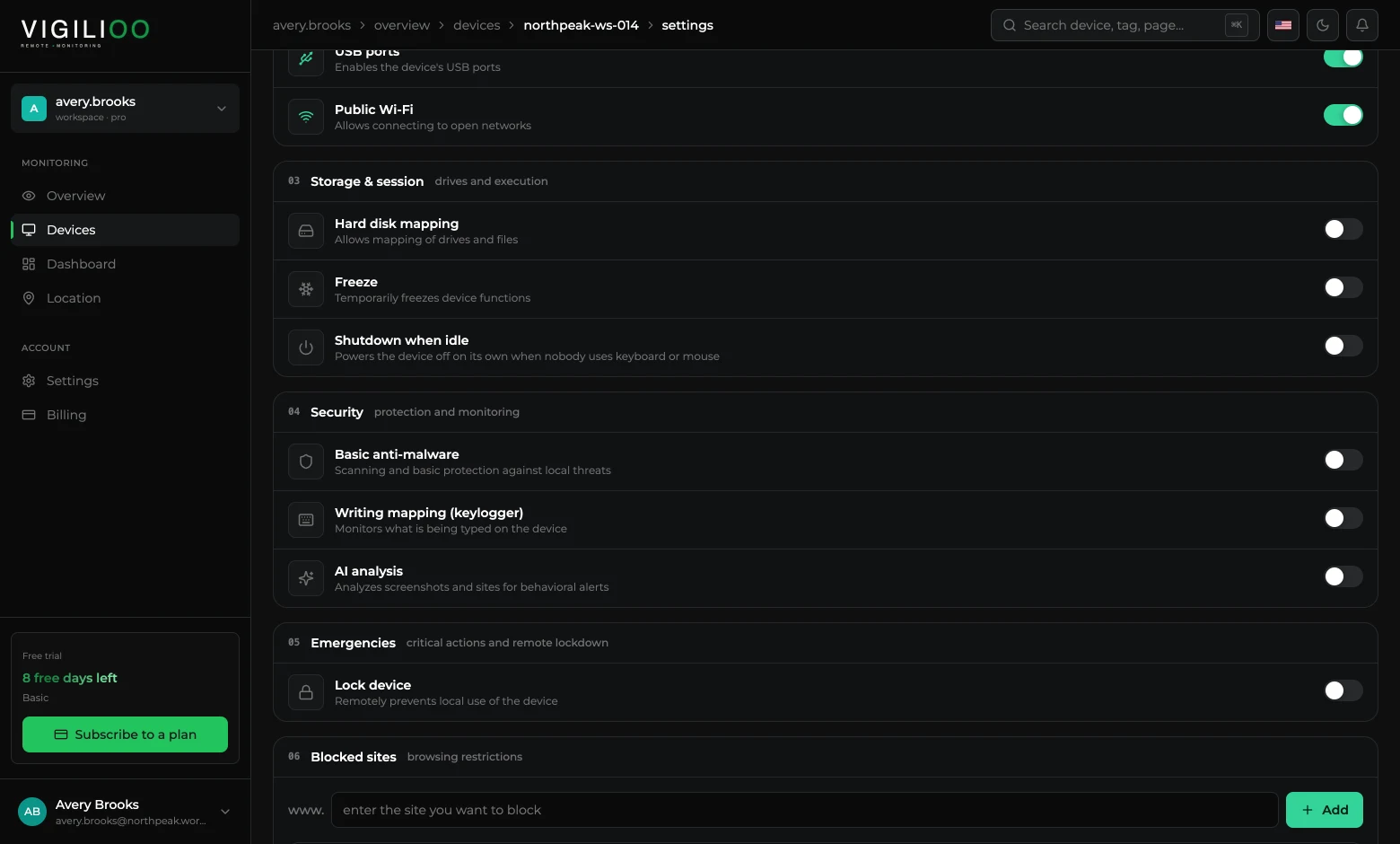
- 1Open the device and go to the Settings tab.
- 2In the 03 · Storage & session block, turn on Hard disk mapping.
- 3Wait for the next sync cycle and go back to the Folders tab.
Care to take
Mapping reaches personal files that happen to be on the corporate machine. Make clear in the internal policy which folders count as work, and restrict who in your account can open that tab.
Frequently asked questions
- Does mapping send the contents of the files?
- The folder and file tree is what travels by default. The content of a file only leaves the device when someone in your account requests that specific file.
- Does it slow the machine down?
- Mapping runs in the background and in batches. The noticeable impact is close to zero on an ordinary work machine.
Up next
Keylogger: turning on writing mapping
How to enable typing records on a device, where the records show up and what the policy demands in return.
Keep reading