Where the policies live
Open the device and go to the Settings tab. Everything there applies to that machine only and reaches it on the next sync — no restart and no need to touch the computer.
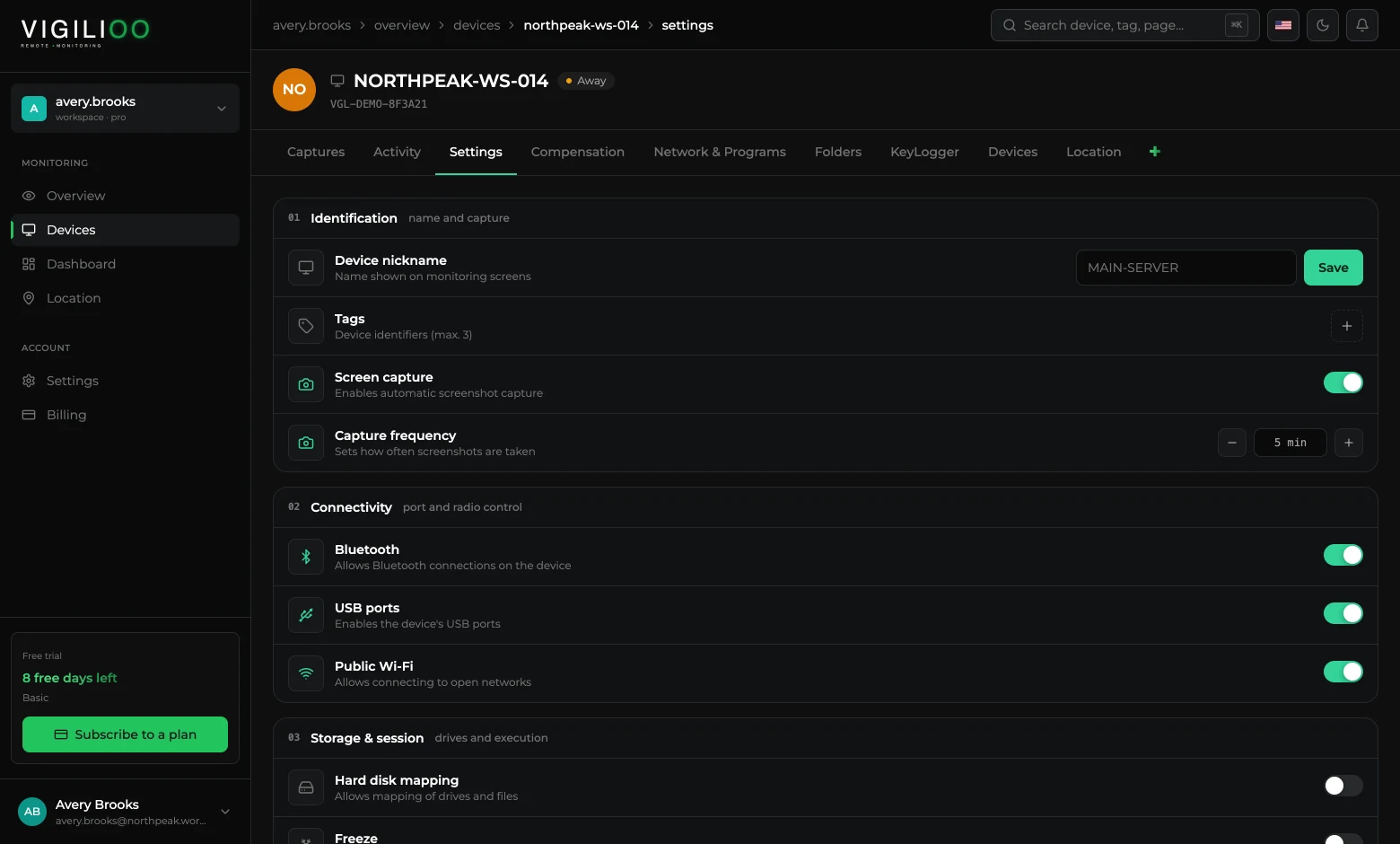
01 · Identification and capture
- Device nickname — the name shown on monitoring screens. Use the name of whoever uses the machine or the asset code.
- Tags — up to three identifiers to filter the device list by team, site or shift.
- Screen capture — turns automatic screen capture on or off.
- Capture frequency — the interval between captures. The shorter the interval, the more detail and the more image volume.
02 · Connectivity
This is the block that closes the device's data exits. Every switch turned off is one less path for a file to leave the company.
- Bluetooth — allows or prevents Bluetooth connections.
- USB ports — enables or disables the machine's USB ports.
- Public Wi-Fi — allows or prevents connecting to open networks.
03 · Storage and session
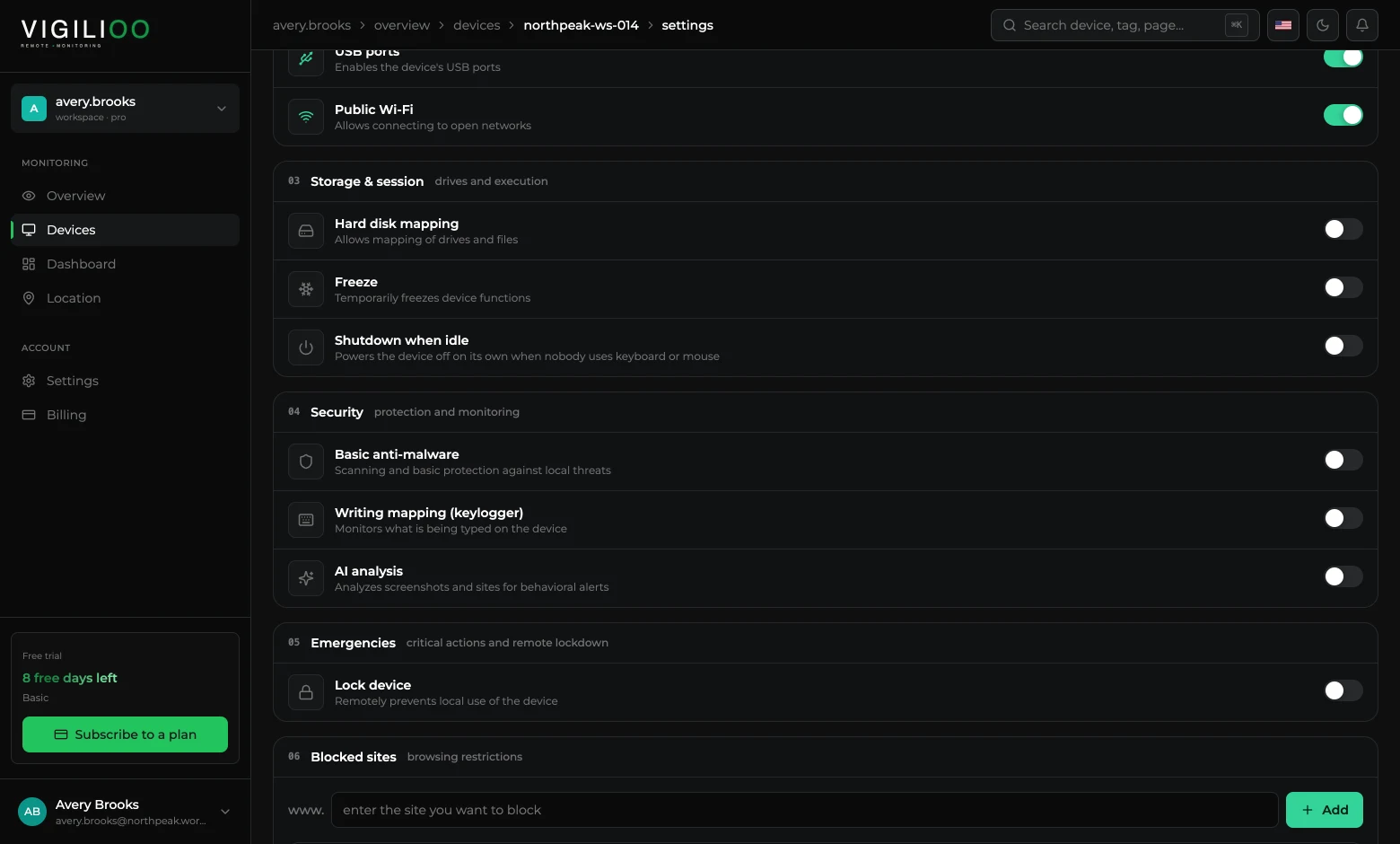
- Hard disk mapping — allows mapping drives and files, and is what feeds the Folders tab.
- Freeze — temporarily freezes the device functions.
- Shutdown when idle — powers the machine off on its own when nobody uses keyboard or mouse.
04 · Security and artificial intelligence
- Basic anti-malware — scanning and basic protection against local threats.
- Writing mapping (keylogger) — records what is typed on the device.
- AI analysis — analyses captures and sites and raises behavioural alerts.
All three policies in this block deal with sensitive data. Turn them on with a stated purpose and keep the notice to the team up to date.
05 · Emergencies
Lock device immediately prevents local use of the machine, remotely. It is the action for offboarding, theft or suspected unauthorised access — and the history already collected stays available in the dashboard.
06 and 07 · Blocked sites and programs
The last two blocks are lists. In Blocked sites you type the domain and click Add; in Blocked programs, the executable name. Each item becomes a tag that can be removed with one click.
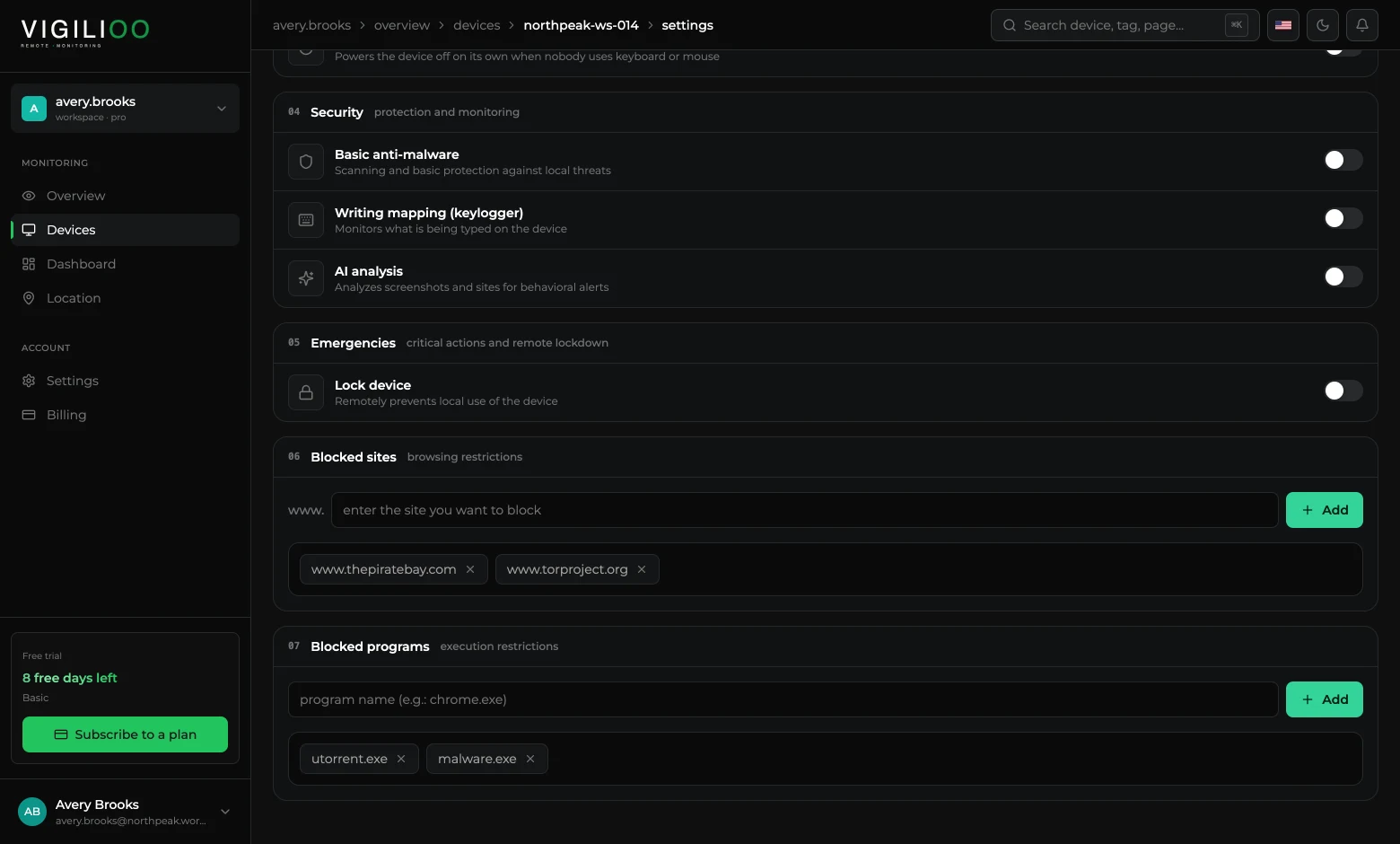
When someone tries to open a blocked site, the browser shows a company notice. That notice can carry your brand — the walkthrough is in Customise the company notice.
Monitored words
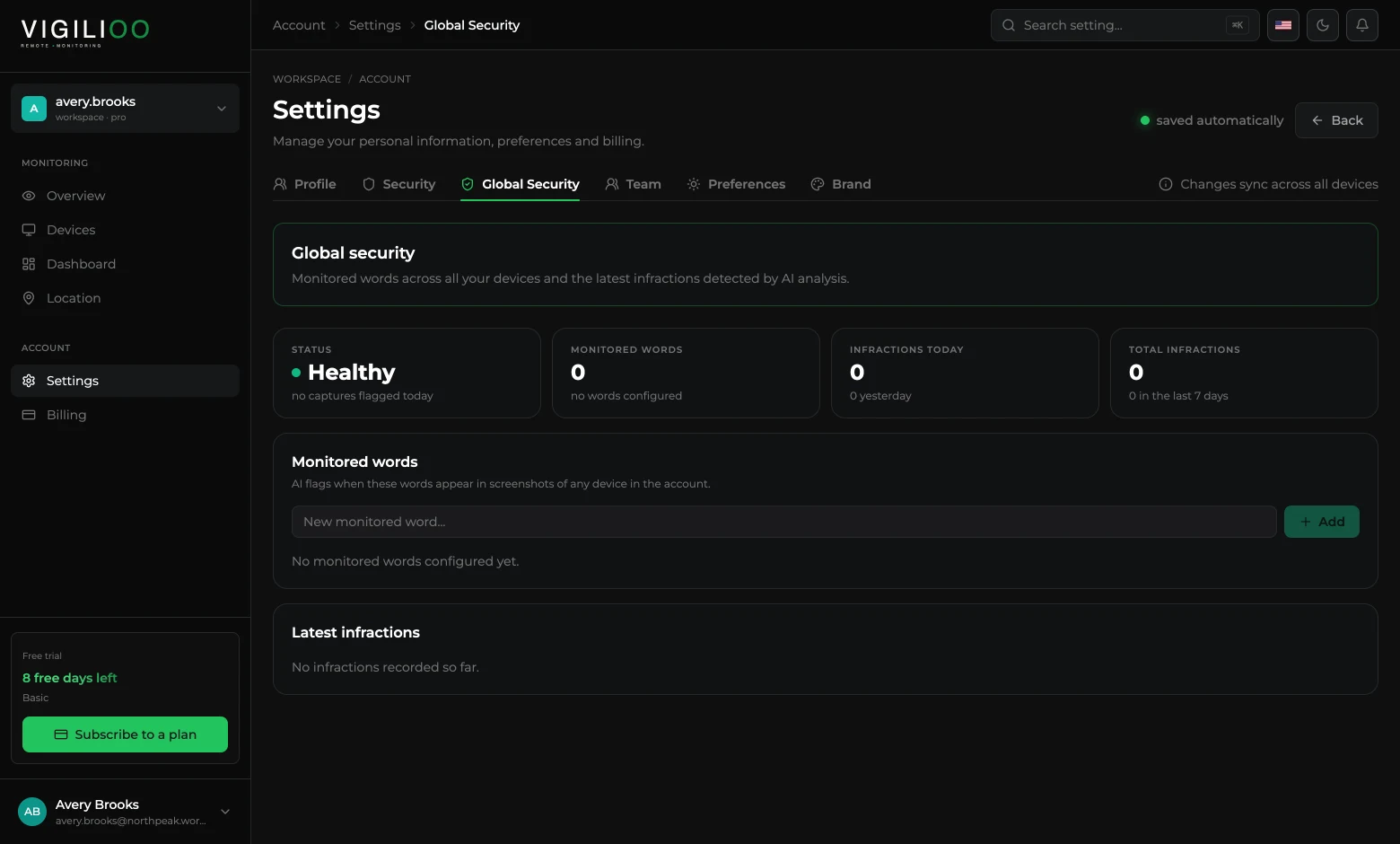
Beyond the per-device policies, the account keeps a list of watched words. When the AI finds one of them in a capture, it records an infraction — which shows up in the device's Security tab and in Global Security, in the account settings.
Frequently asked questions
- How long until the policy reaches the device?
- The agent fetches its configuration on every ping cycle, so within seconds. If the machine is off, the policy is applied as soon as it is back.
- Can I apply the same policy to several devices at once?
- Policies are set per device. To standardise, use tags to group machines and repeat the configuration — the monitored words list and the notice branding, on the other hand, already apply to the whole account.
- Does blocking USB stop phone charging?
- The port is disabled for data transfer. Since behaviour varies by manufacturer, test on one device before rolling it out to the whole fleet.
Up next
Remote monitoring
What the agent sends to the dashboard, how often, and how the data travels.
Keep reading